
How to Set Up IBO Player With TheStreamView IPTV
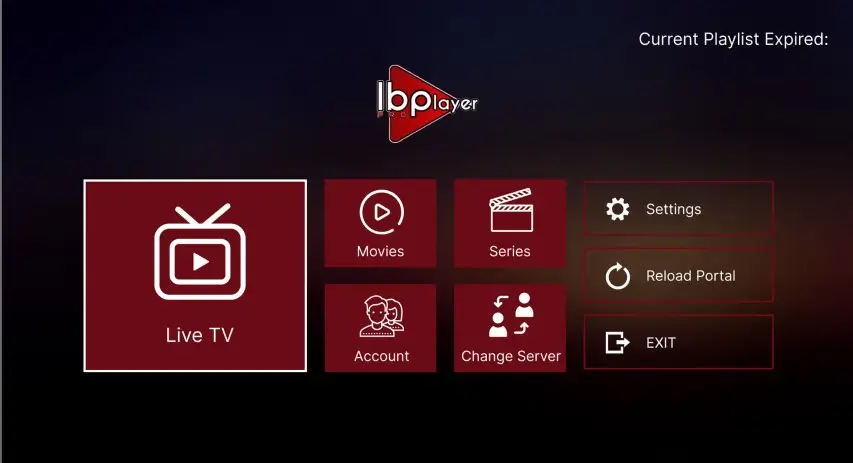
Looking for a simple way to watch your IPTV subscription on a Smart TV? IBO Player is a popular media player that allows users to load their own compatible IPTV playlists and organize Live TV, movies, and series in one fast interface.
In this guide, we will explain how IBO Player works and how to connect it to your TheStreamView IPTV subscription step by step.
What Is IBO Player and What Do You Need?
IBO Player is an application designed to play streaming playlists supplied by the user. Depending on the version and device, it supports M3U/M3U8 URLs as well as the Xtream Codes API connection method.
Prerequisites for Setup:
- IBO Player installed on your Smart TV (Samsung, LG, Android TV, or Firestick).
- Your TV's MAC Address and Device Key displayed inside the app.
- An active TheStreamView subscription.
- Your M3U Playlist URL or Xtream Codes login credentials.
Step-by-Step IBO Player Configuration
Follow these step-by-step instructions to connect your subscription to IBO Player in minutes:
| Step | Action Required | Details |
|---|---|---|
| Step 1 | Install Application | Download IBO Player from your Smart TV App Store. |
| Step 2 | Note Credentials | Open the app and locate your MAC Address and Device Key. |
| Step 3 | Access Web Portal | Go to the official IBO Player management website on your phone or PC. |
| Step 4 | Add Playlist | Enter the name, then paste your M3U URL or Xtream Codes API details. |
| Step 5 | Save & Reload | Save on the portal, then click Reload inside IBO Player on your TV. |
Paste the complete playlist link provided in your welcome email directly into the management portal.
Enter your Host Server URL, Username, and Password for auto-categorized VOD and Live TV.
Troubleshooting Common IBO Player Issues
If you run into any issues during setup or streaming, check these standard fixes:
- Empty Playlist: Check that there are no spaces or missing characters in your M3U URL.
- Buffering Channels: Restart your router and television. Ensure your internet connection is operating at optimal speed.
- Playlist Fails to Load: Verify that you entered the exact MAC Address associated with your TV's IBO Player installation.
- Account Protection: Never share your private M3U link or password on public forums or social networks.
Get Started with TheStreamView Today
Experience high-speed 4K streaming on IBO Player.
Get Your IPTV SubscriptionIBO Player + TheStreamView Setup Summary
- Application: IBO Player (Smart TV App)
- Supported Formats: M3U Playlist, M3U8, Xtream Codes API
- Setup Path: Get Credentials → Open IBO Web Portal → Add Playlist → Reload TV App
- Need Support? Contact TheStreamView Support Team